Overview
This document provides a step-by-step guide for deploying HashiCorp Vault with the Anjuna Policy Manager authentication plugin in an Anjuna Confidential Container for SEV on Google Cloud.
The version of Vault currently supported is Vault Community 1.21. If you would like to use a different version or variant of Vault with the APM, please contact support@anjuna.io.
In this guide, you will learn about the core functionality of the Anjuna Policy Manager (APM):
-
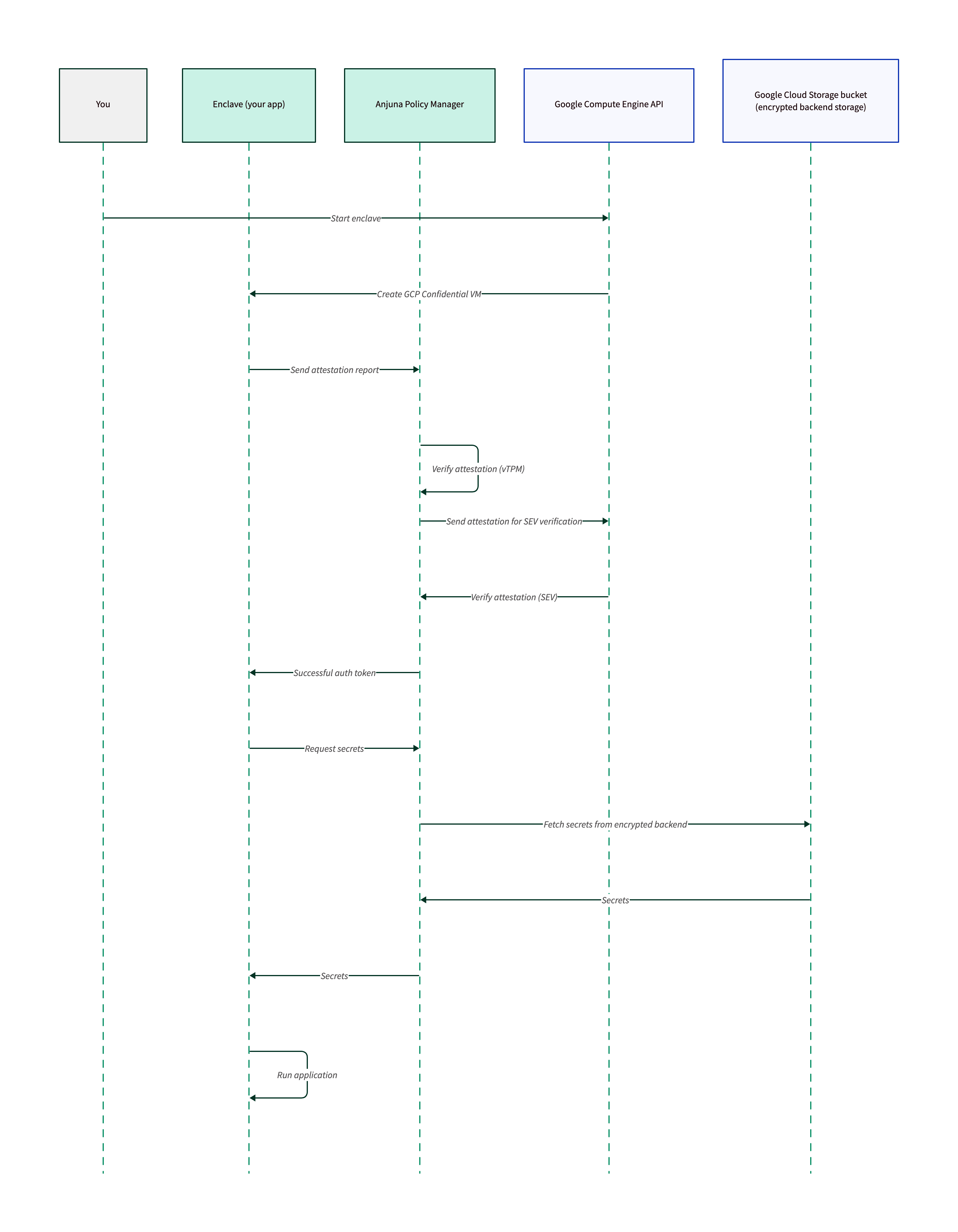
How to configure a client enclave to fetch secrets from Vault using the APM
-
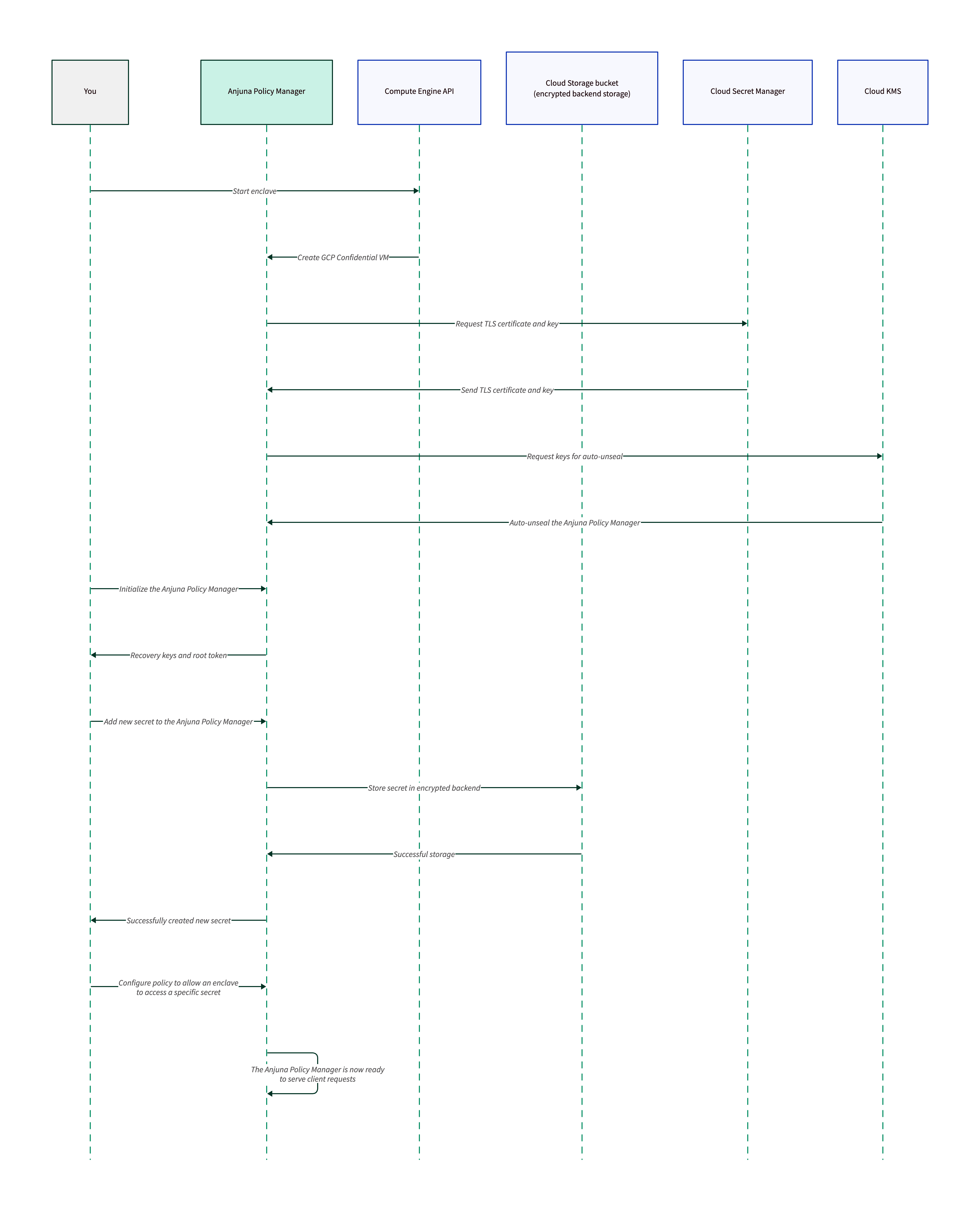
How to add secrets that will be managed by the APM
-
How to configure the APM to authorize client enclaves to fetch specific secrets
You will also learn about the following operational considerations:
-
How to configure TLS between Vault/APM and client enclaves
-
How to secure automated deployments by auto-unsealing Vault
Architecture
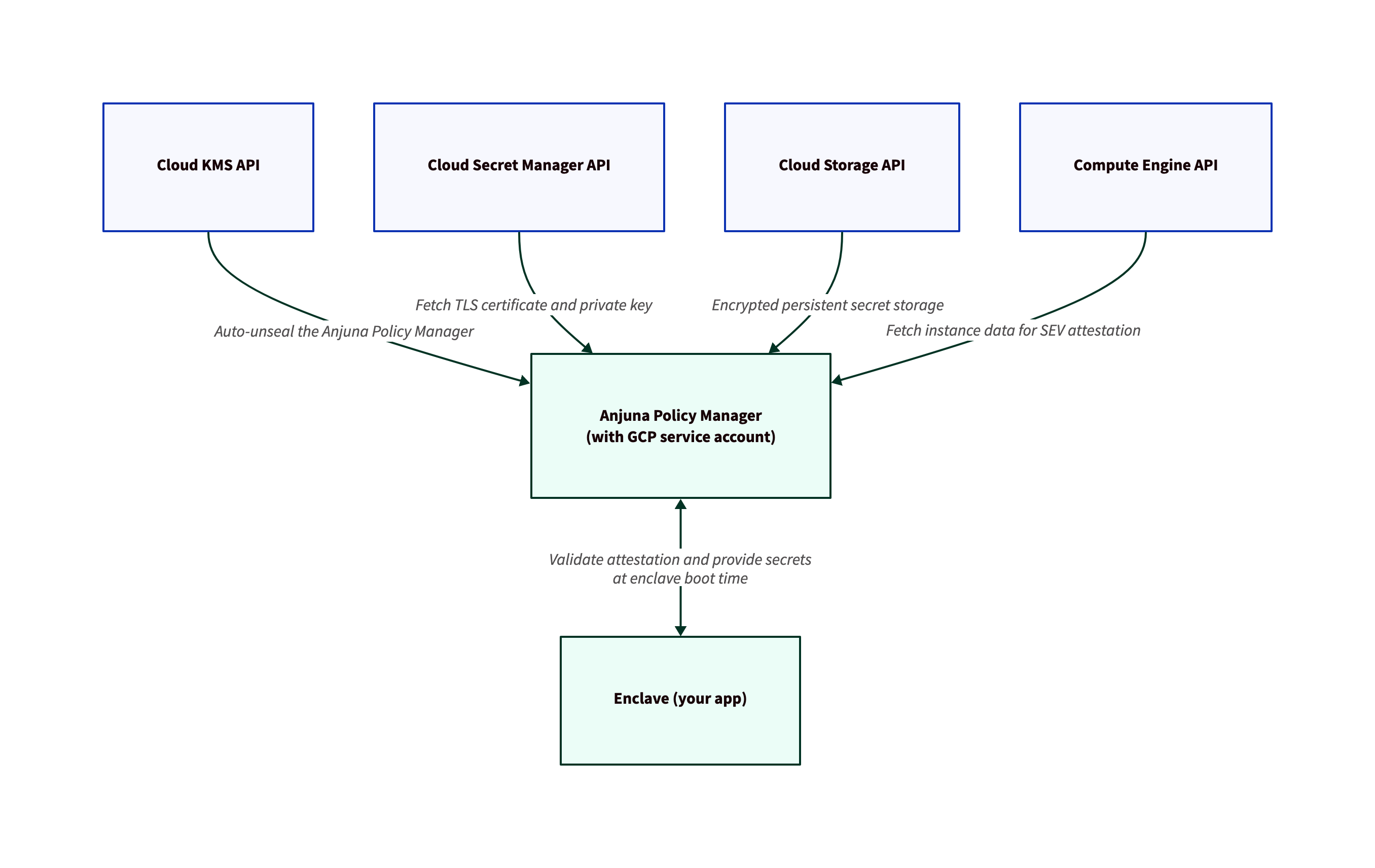
In order to securely deliver secrets to client enclaves, the Vault/APM server communicates with several Google Cloud services. The following diagram shows how Vault uses Cloud KMS, Cloud Secret Manager, Cloud Storage, and Compute Engine.